Block-Templates

Block-View Default
Lorem ipsum dolor sit amet, consetetur sadipscing elitr, sed diam nonumy eirmod tempor invidunt ut labore et dolore magna aliquyam erat, sed diam voluptua. At vero eos et accusam et justo duo dolores et ea rebum.

Image Left Text Right
Lorem ipsum dolor sit amet, consetetur sadipscing elitr, sed diam nonumy eirmod tempor invidunt ut labore et dolore magna aliquyam erat, sed diam voluptua. At vero eos et accusam et justo duo dolores et ea rebum.

Image Right Text Left
Lorem ipsum dolor sit amet, consetetur sadipscing elitr, sed diam nonumy eirmod tempor invidunt ut labore et dolore magna aliquyam erat, sed diam voluptua. At vero eos et accusam et justo duo dolores et ea rebum.
Content-Box Model
To work with the block-data you can simply use the ContentBox model.
You can create a new instance of the ContentBox-Model by using the contentbox-service.
    // creating a ContentBox-Model using the current block-data.
    /** @var \Concrete\Package\TgsContentBox\Block\TgsContentBox\Controller $blockController */
    $relevantBlockData = $blockController->getBlockData();

    /** @var \Concrete\Package\TgsContentBox\Model\ContentBox $cb */
    $contentBox = app('tgs/contentbox/factory/contentbox')->createFrom($relevantBlockData);

    echo $contentBox->getBlockId(); // int|null
    echo $contentBox->getButtonType(); // string
    ...
Content-Box View
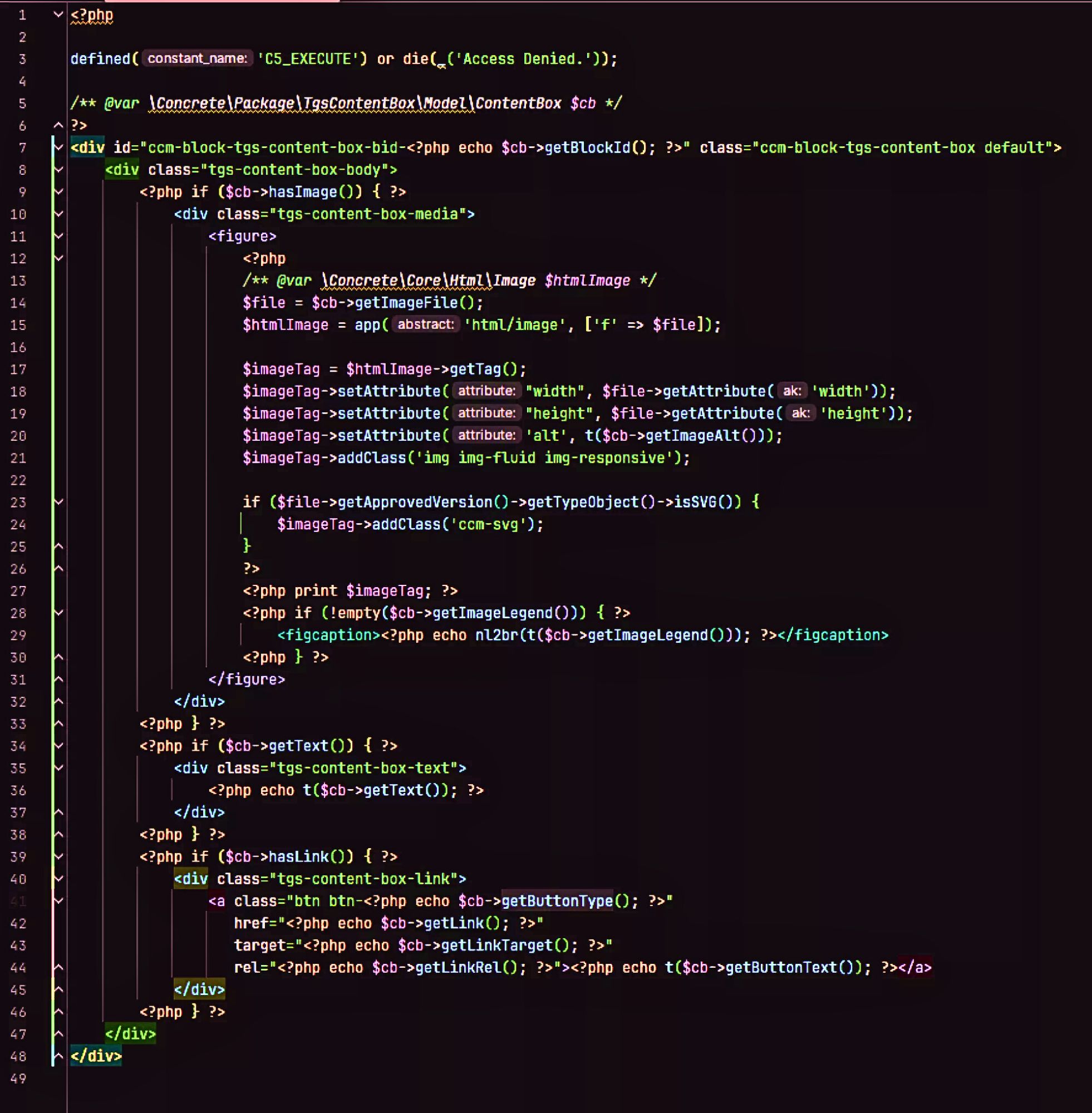
The structure of the Content-Box View is very easy to understand. This allows you to customize the view very easily. In general it's recommended to make custom templates based on the view.php file.
When installing this package to your concreteCMS site you are able to use two built-in block-templates. You will find an example of the default block-view and examples of the built-in block-templates in the section Block-Templates of this page.